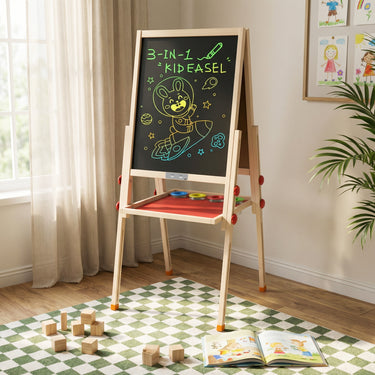


Joyooss Adjustable LCD Writing Easel for Kids
products.product.pickup_availability.unavailable
Shipping & Returns
Shipping availability, estimated delivery times and return conditions are
shown at checkout and on our store policy pages.
Please review our
Shipping Policy
and
Return & Refund Policy
before ordering.
Adult supervision is recommended during assembly, height adjustment and use.
Product Details
• Product Type: LCD Writing Easel for Kids
• Frame Material: Wood
• Color: Natural Wood with Red Accents
• Drawing Surface: Colorful Reusable LCD Screen
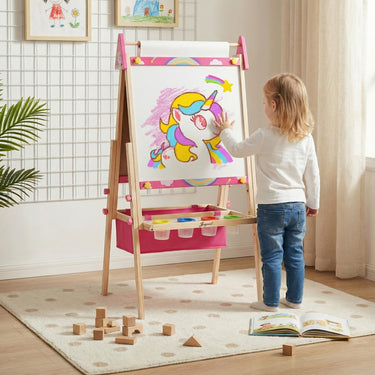
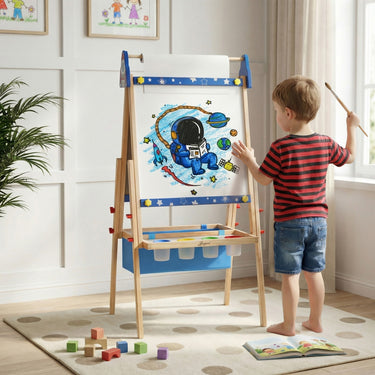
• Additional Creative Area: Top-Mounted Paper Roll
• Adjustable Heights: 34.25", 40.75" and 47.64"
• Recommended Age: 3–12 Years
• Storage: Front Art Supply Tray
• Paint Cups: Included
• Stylus: Included
• Assembly: Adult Assembly Required
What’s Included
• 1 Joyooss LCD Writing Easel
• 1 LCD Drawing Stylus
• 1 Paper Roll
• Colorful Drawing Markers
• Magnetic Letters and Numbers
• Learning Magnets
• Paint Cups
• 1 Board Eraser
• Assembly Hardware
• Assembly Instructions
You May Also Like




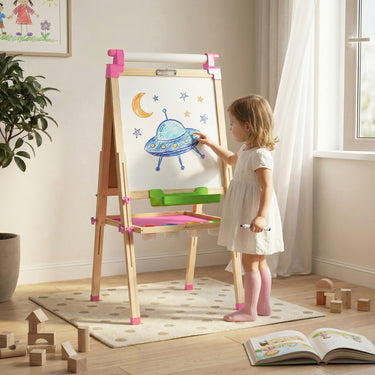
Everything you need to know about setup, height adjustment, creative surfaces,
included accessories, care, and product support.
How does the LCD drawing screen work?
Use the included stylus to draw colorful lines on the LCD surface.
The screen responds to drawing pressure and does not require ink, paint or ordinary markers.
How should the LCD screen be cleaned?
Turn off or lock the LCD function before cleaning. Gently wipe the screen with a soft, dry cloth.
Do not use harsh cleaners, soak the screen or apply excessive pressure.
Does it have two art surfaces?
Yes. One side provides an LCD light-up drawing experience, while the other side features a chalkboard for traditional writing and drawing activities.
What should I do if a part is missing or damaged?
Please contact us as soon as possible with your order number and clear photos of the product, packaging and affected part.
Our customer support team will review the information and assist you with the appropriate next step.
Can I purchase replacement paper rolls or accessories?
Compatible paper rolls and selected easel accessories are available separately in our Easel Accessories collection.
Please check the product dimensions and compatibility information before ordering.